The installer
No account. No telemetry. The vault stays on this machine.
Installer temporarily unavailable.
Windows first. One MCP snippet. You approve. The agent receives a result, never the secret.
No account. No telemetry. The vault stays on this machine.
Installer temporarily unavailable.
git clone https://github.com/0xm0w/noenv
cd noenv
npm ci
npx tsc -p tsconfig.json --outDir dist
The default warden is Muse Spark via the Meta API; nothing to download. To keep request metadata on your hardware, point Settings at an Ollama or OpenAI-compatible server you run. We recommend a Meta open model such as Muse Glimmer.
Get OllamaLocal-hardening candidate, not a new release: deliberate uninstall warns then wipes the fixed app profile; Cancel preserves it and in-place updates retain it. Shared legacy keys or linked profiles block cleanup. Back up the matching stopped DB and key together. Windows Hello screen lock is not passkey-backed encryption; PRF custody and remote Connections are not included in this candidate.
AES-256-GCM. The installed Windows app has a password setup/unlock screen. The master key is password-wrapped (scrypt by default) and later daemon starts are locked. Run noenv unlock; it auto-locks after 15 idle minutes.
Add a Meta API key for Muse Spark, or set your own local endpoint. Skip this and policy still holds the ceiling; anything that needs judgement comes to you.
noenv add stripe --scope charges.read reads a hidden prompt. The agent learns the alias and the ceiling.
Installed Windows candidate: use Settings > Daemon > Agent Integration & MCP to generate/rotate a private token and copy the installed-runtime config. No separate Node or source checkout is needed. Raw tokens are shown once; rotate after losing the config. The examples below are source-development examples only: replace <noenv> with your checkout. Full host notes live in docs/MCP.md.
{
  "mcpServers": {
    "noenv": {
      "command": "node",
      "args": ["<noenv>/dist/packages/mcp/src/server.js"],
      "env": {
        "NOENV_AGENT_ID": "cursor",
        "NOENV_AGENT_TOKEN": "<generated-private-agent-token>",
        "NOENV_IDE": "Cursor"
      }
    }
  }
}{
"mcpServers": {
"noenv": {
"command": "node",
"args": ["<noenv>/dist/packages/mcp/src/server.js"],
"env": {
"NOENV_AGENT_ID": "claude-code",
"NOENV_AGENT_TOKEN": "<generated-private-agent-token>",
"NOENV_IDE": "Claude Code"
}
}
}
}VS Code uses servers, not mcpServers.
{
  "servers": {
    "noenv": {
      "type": "stdio",
      "command": "node",
      "args": ["<noenv>/dist/packages/mcp/src/server.js"],
      "env": {
        "NOENV_AGENT_ID": "vscode",
        "NOENV_AGENT_TOKEN": "<generated-private-agent-token>",
        "NOENV_IDE": "VS Code"
      }
    }
  }
}[mcp_servers.noenv] command = "node" args = ["<noenv>/dist/packages/mcp/src/server.js"] [mcp_servers.noenv.env] NOENV_AGENT_ID = "codex" NOENV_AGENT_TOKEN = "<generated-private-agent-token>" NOENV_IDE = "Codex"
{
  "mcp": {
    "noenv": {
      "type": "local",
      "command": ["node", "<noenv>/dist/packages/mcp/src/server.js"],
      "environment": {
        "NOENV_AGENT_ID": "opencode",
        "NOENV_AGENT_TOKEN": "<generated-private-agent-token>",
        "NOENV_IDE": "OpenCode"
      }
    }
  }
}Five tools. There is no approve tool. An agent that calls the approve route itself gets 401.
Real screenshots. The credential in them is a test value.
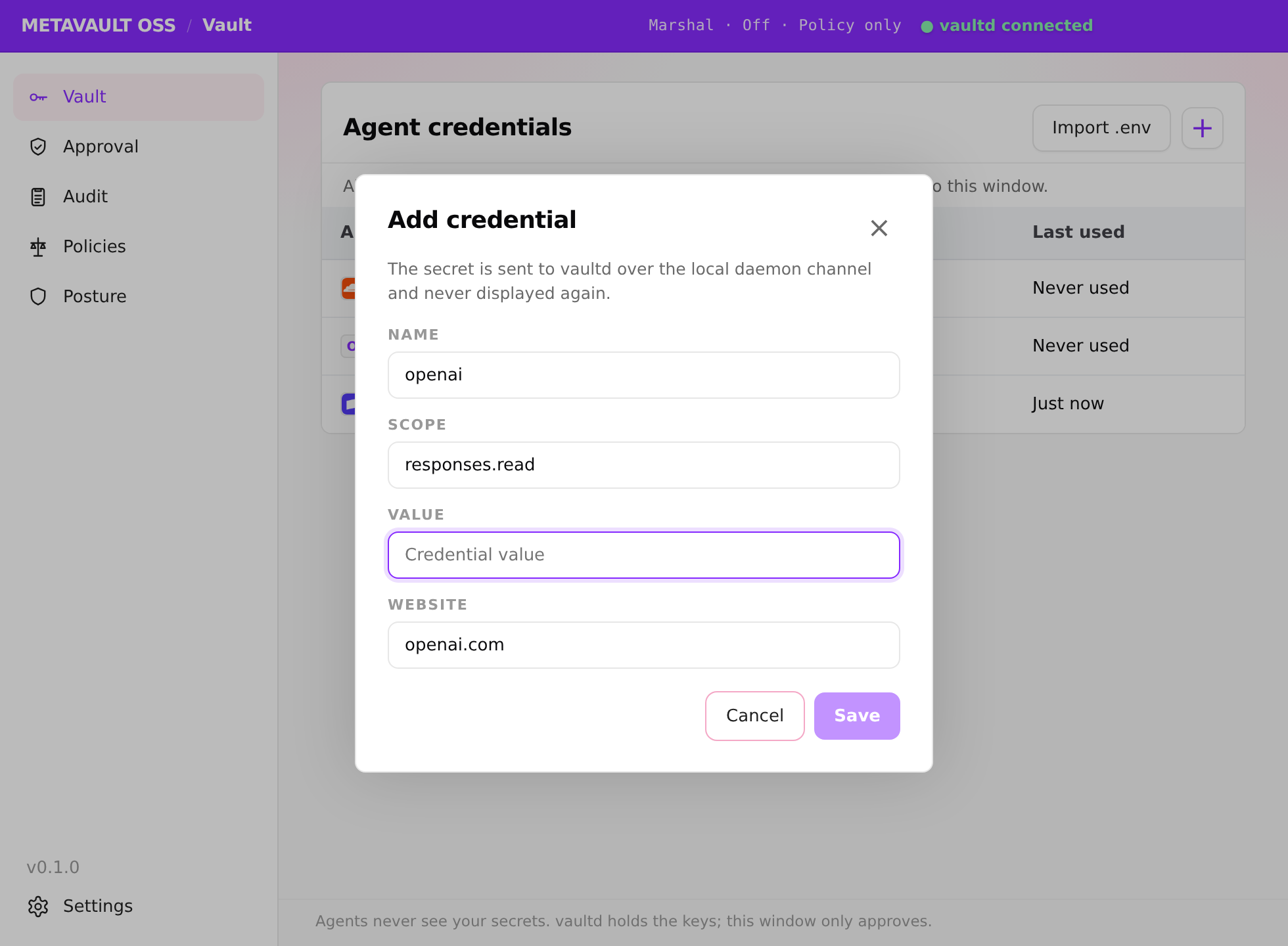
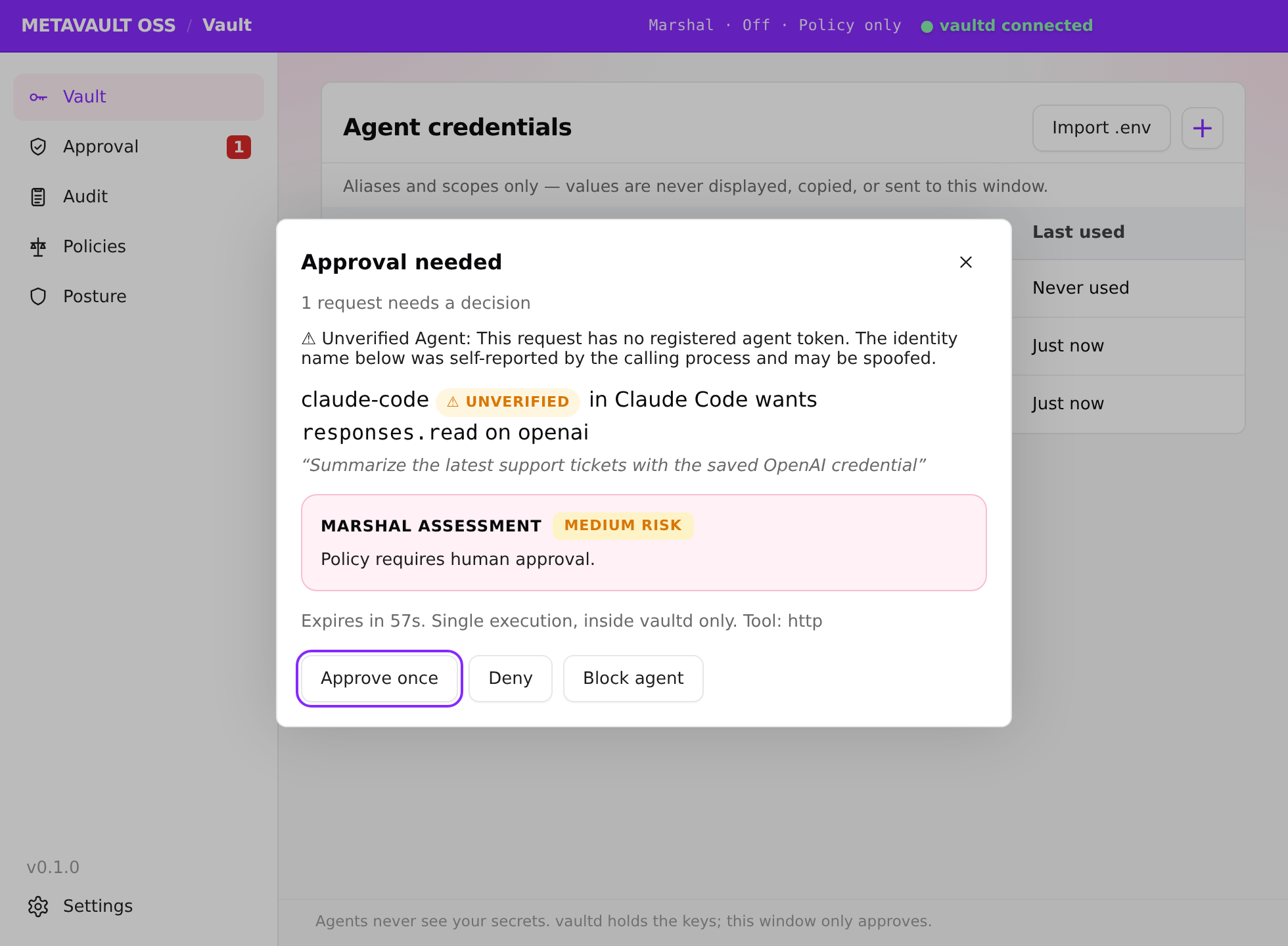
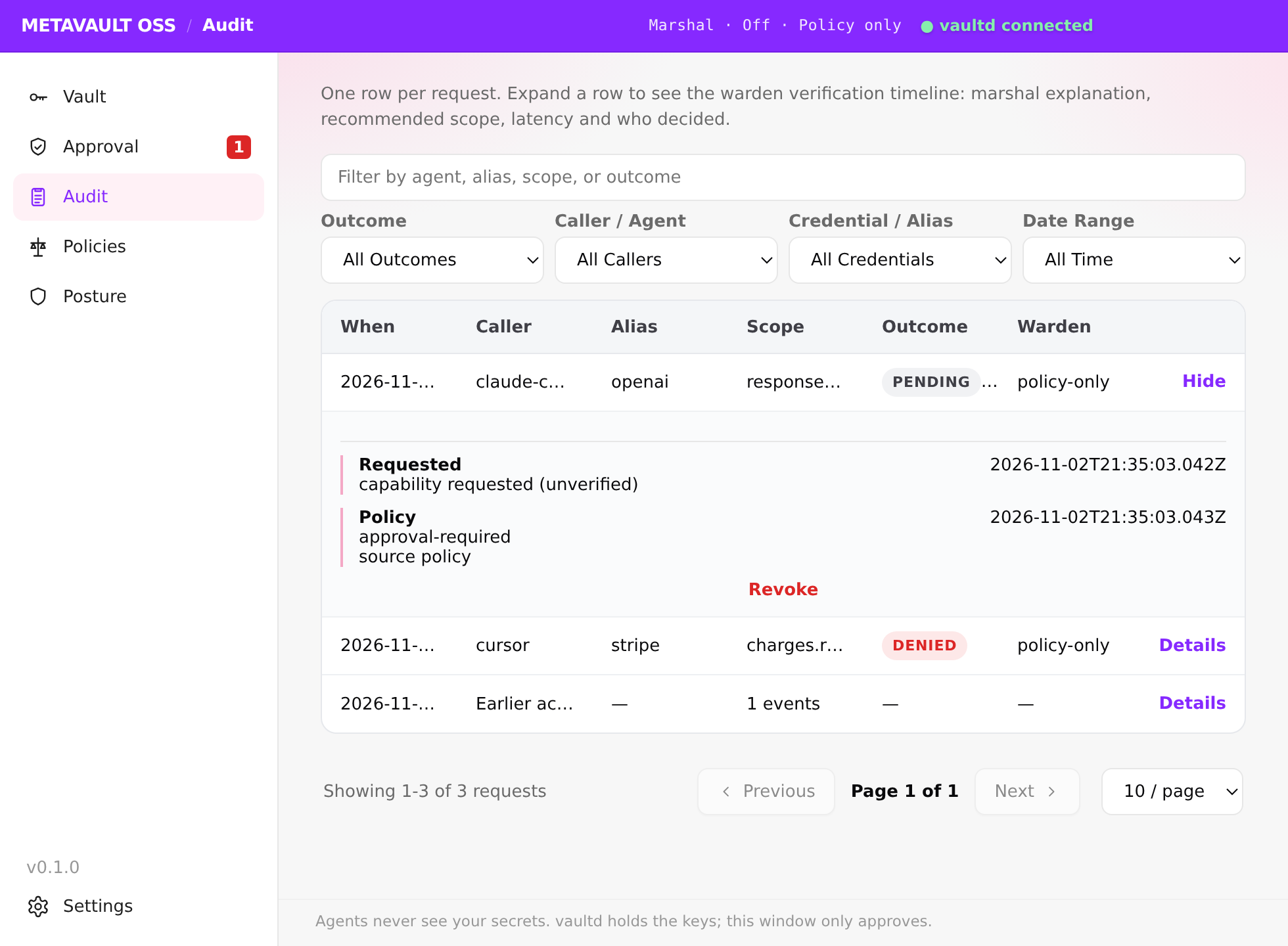
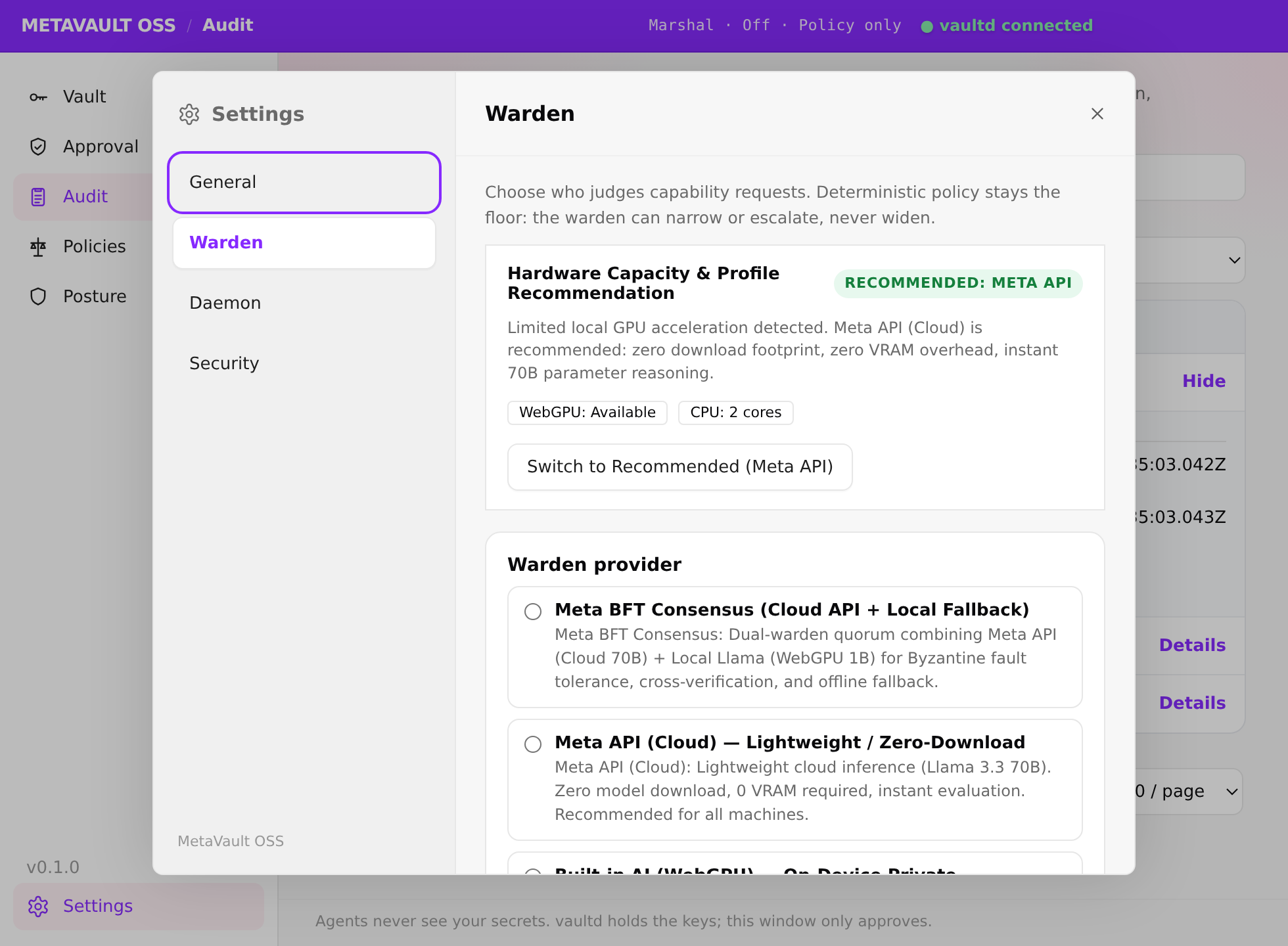
The policy floor holds whatever the model does: ceilings, expiry and your approval still apply with the warden off, down, or wrong.
Rules and ceilings. No model.
Metadata only. The key stays in the daemon.
Ollama or OpenAI-compatible, on hardware you run. Muse Glimmer recommended. Metadata goes only to your URL.
Spark + your endpoint. The stricter verdict wins.
Effort: Fast, Standard or Deep. Deep runs two passes; if they disagree, the narrower scope and higher risk win and you approve. Why the floor holds: architecture.
The grant expires when that call returns.
A pending approval that you ignore is gone.
App, CLI, or the MCP revoke tool. Pending and future grants for that agent stop.
Who asked, which IDE, the scope, the warden line, your decision, execution, expiry, revocation.
No key, fragment, or hash. Same ban on MCP responses and the settings screen. The check is the 27-surface canary.
stripe → charges.read means a write never runs, even if a model recommends it.
Always-allow is only for a low, read-only repeat.
Those standing approvals live in memory and clear on restart.
Apache-2.0. Windows is the supported platform today. macOS packaging is parked.